

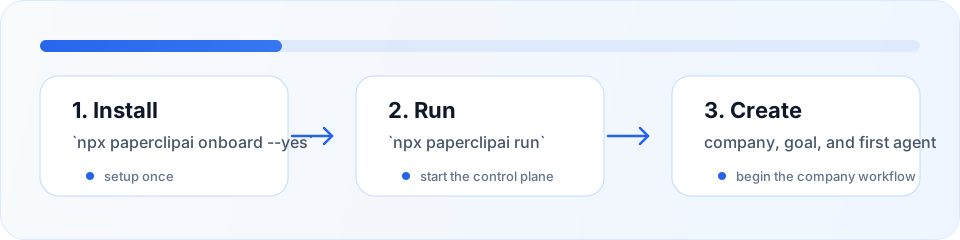
Quick Start (Recommended)
If you just want to use Paperclip, start here.onboard keeps your current config and data paths intact. Use paperclipai configure if you want to edit settings.
To start Paperclip again later:
Note: If you usednpxfor setup, keep usingnpx paperclipaifor day-to-day commands. Usepnpm paperclipaionly when you are inside a cloned copy of the Paperclip repository.
Local Development
For contributors working on Paperclip itself. Prerequisites:- Node.js 20+
- pnpm 9+
Choose Your Path
| If you want to… | Use this path |
|---|---|
| Try Paperclip quickly | npx paperclipai onboard --yes |
| Develop Paperclip locally | pnpm install then pnpm dev |
| Re-run the CLI from a clone | pnpm paperclipai run |
What’s Next
Once Paperclip is running, create the minimum company setup:- Create your first company in the web UI
- Define a company goal
- Create a CEO agent and configure its adapter
- Build out the org chart with more agents
- Set budgets and assign initial tasks
- Hit go — agents start their heartbeats and the company runs
Core Concepts
Learn the key concepts behind Paperclip
Docs Site Review
See the current docs-site coverage gaps and visual conventions